|
Oracle 11g Release 2: Installation and Configuration On CentOS 6.5
(c) brokenribgolfer.com Author: Mark Hopkins Email Date: 05.19.2014 Again, we find ourselves in need of an Oracle database for a new project. This new project in building out an environemnt to house IBM Security Identity Manager (ISIM) Version 6. We will be using the latest release of Oracle's 11g database, Release 2. Enough has changed in the installation procedure that we could not simply follow our previous article. Here is a list of the changes:
Although there have been several changes to the previous installation procedure we will still treat this article as an update, and will refer to it when appropriate. Article Index
Assumptions / Requirements
There are no new assumptions to me made with this article. The OS change is not significant enough to require
any new knowledge, as far as an Oracle install is concerned.
|
|
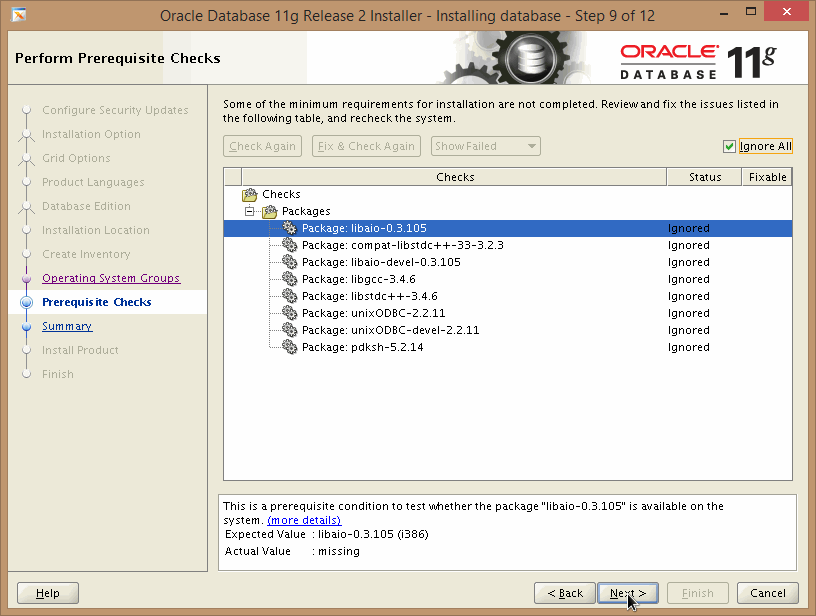
There is one thing to note this time, and that is we had to increase tme memory from 1G to 1.25 G to keep the
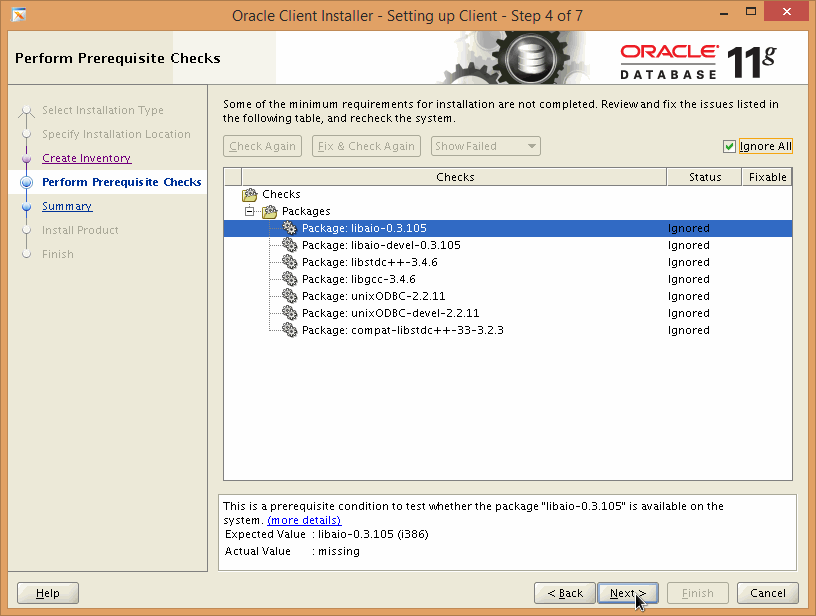
installer from complaining. It still complained but not about memory and we were never able to figure out why. More
on that later.
|
|
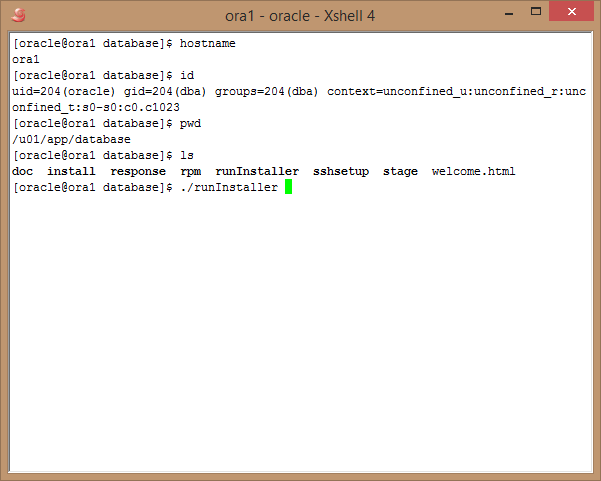
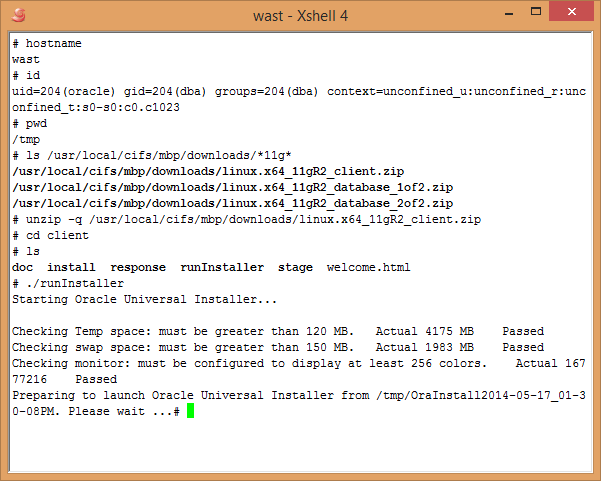
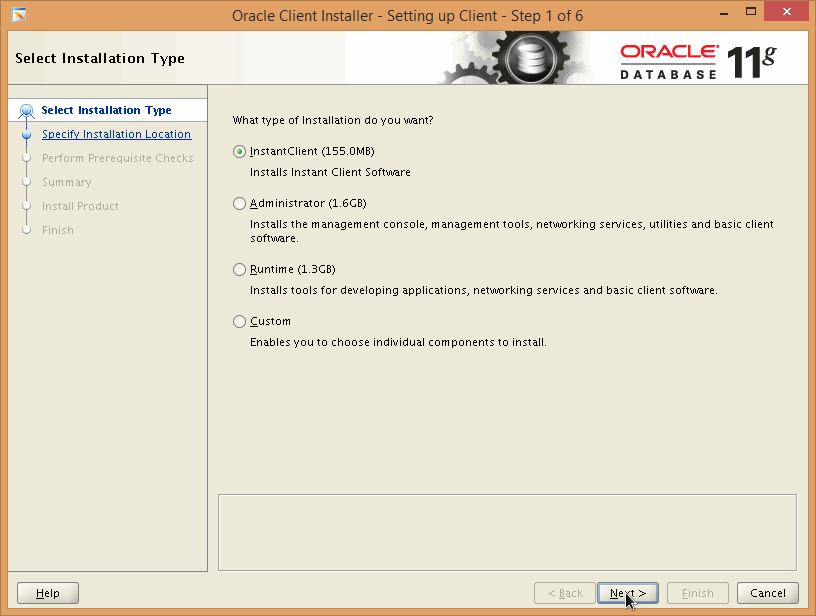
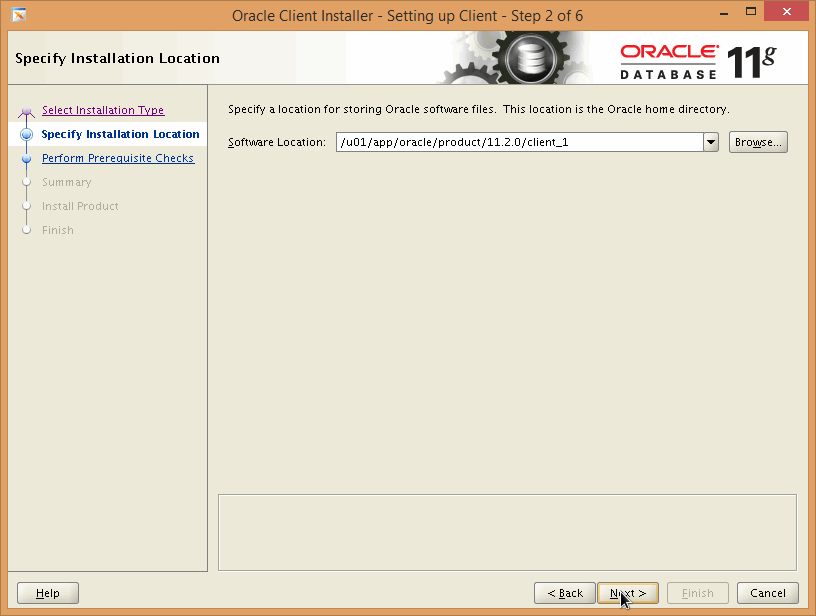
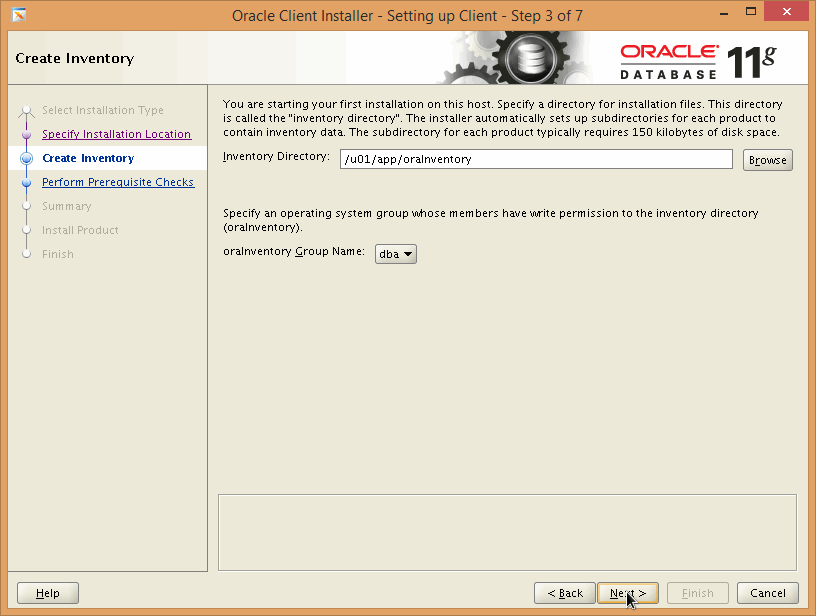
Procedure Now that we have laid the groundwork, let's get going with the actual steps. |
|
ONE |
|
................
|
|
|
|
................
|
|
|
|
................
|
|
|
|
................
|
|
|
|
................
|
|
|
|
................
|
|
|
|
................
|
|
|
|
................
|
|
|
|
................
|
|
|
|
................
|
|
|
|
................
|
|
|
|
................
|
|
|
|
................
|
|
|
|
................
|
|
|
|
................
|
|
|
|
................
|
|
|
|
................
|
|
|
|
................
|
|
|
|
................
|
|
|
|
................
|
|
|
|
................
|
|
|
|
................
|
|
|
|
................
|
|
|
|
................
|
|
|
|
................
|
|
|
|
................
|
|
|
|
................
|
|
|
|
................
|
|
|
|
................
|
|
|
|
................
|
|
|
|
................
|
|
|
|
................
|
|
|
|
................
|
|
|
|
................
|
|
|
|
................
|
|
|
|
................
|
|
|
|
................
|
|
|
|
................
|
|
|
|
................
|
|
|
|
................
|
|
|
|
................
|
|
|
|
................
|
|
|
|
................
|
|
|
|
................
|
|
|
|
................
|
|
|
|
................
|
|
|
|
................
|
|
|
|
................
|
|
|
|
................
|
|
|
|
................
|
|
|
|
................
|
|
|
|
................
|
|
|
|
................
|
|
|
|
................
|
|
|
|
................
|
|
|
|
................
|
|
|
|
................
|
|
|
|
................
|
|
|
|
................
|
|
|
|
................
|
|
|
|
................
|
|
|
|
................
|
|
|
|
................
|
|
|
|
................
|
|
|
|
................
|
|
|
|
................
|
|
|
|
................
|
|
|
|
Conclusion
CONCLUSION
|
|
Printing This Article
If you have trouble printing this article, be sure to set your browser Page Properties correctly. Go
to File -> Page Setup and set your left and right margins to .125 inches.
|