|
Tivoli: Synchronizing Active Directory & TDS 6.1 With TDI 6.1.1 - Part II
(c) brokenribgolfer.com Author: Mark Hopkins Email Date: MM.DD.YYYY Continuing our quest to synchronize a Mircosoft Active Directory instance with a Tivoli Directory Server LDAP instance, we present this second in a series of four articles. If you recall out last article, we covered quite a bit of preparation and basic navigation of the Tivoli Directory Integrator (TDI) product. We also stepped through the process of loading an Active Directory objct type (organizationalUnit) into a TDS instance. In this article we will cover other object classes as well as TDI bracching, more JavaScript and LDAP commands. The main goal of this article is to wrap up the initial data loading from AD to TDS, so that we can move one to bigger and better things. To recap, our four part series maps out as follows:
Article Index
Background Wouldn't life be much easier if all LDAP servers used the same schema and schema naming conventions? The answer to that question is a resounding "YES", but then would we have the need for such a neat tool like Tivoli Directory Integrator? If all schemas were the same, all we would need to do would be replication, or would it? The fact is that replication could not do what we can do with TDI, because with TDI we can perform, in essence, selective replication. So, we have a need to perform such a partial replication and this article will cover steps to do just that. Assumptions / Requirements
As always, we believe that our articles are so complete, that a monkey could follow them to duplicate our
efforts, however we realize that a certain amount of expertise is required. Actually, a monkey probably would
not be surfing the web looking for articles like this one. We are going to assume that you have a solid understanding
of LDAP, Active Directory, Tivoli Directry Server, Tivoli Directory Integrator and UNIX. We also hope that you
have patience with us in the event that we attempt to inject some levity into our experiences.
|
|
Procedure Now that we have laid the groundwork, let's get going with the actual steps. |
|
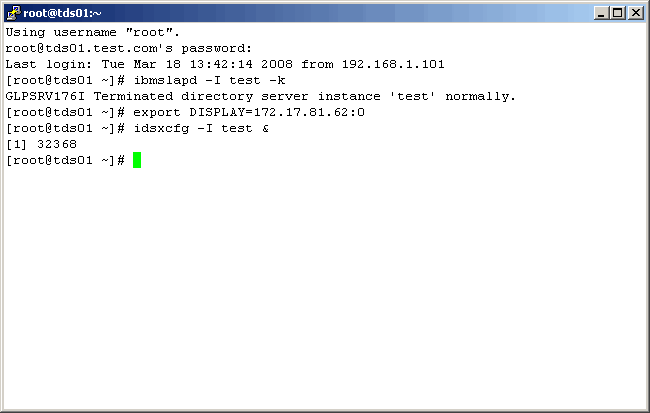
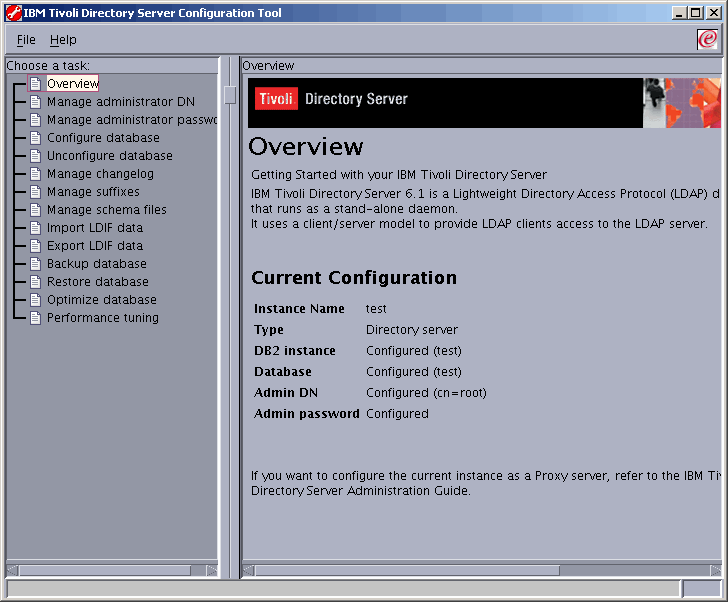
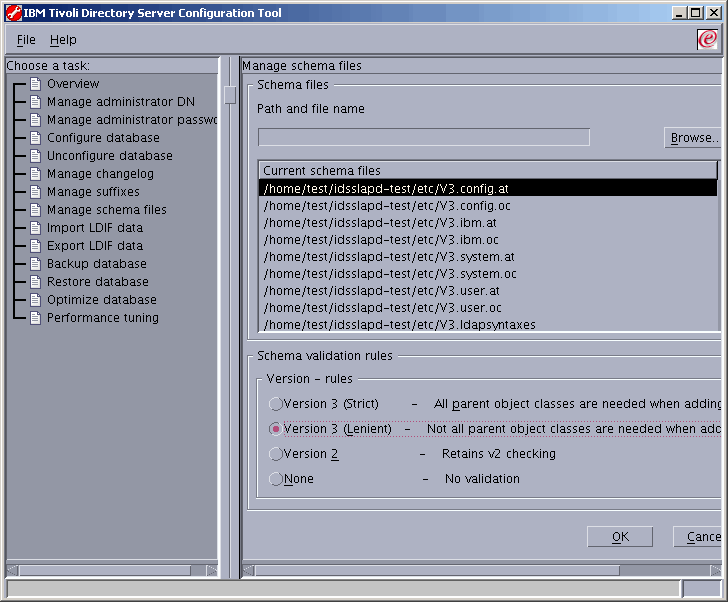
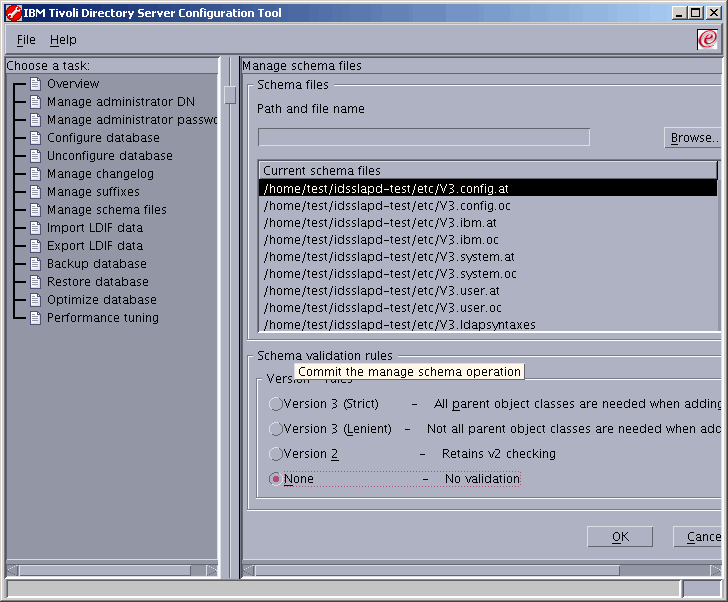
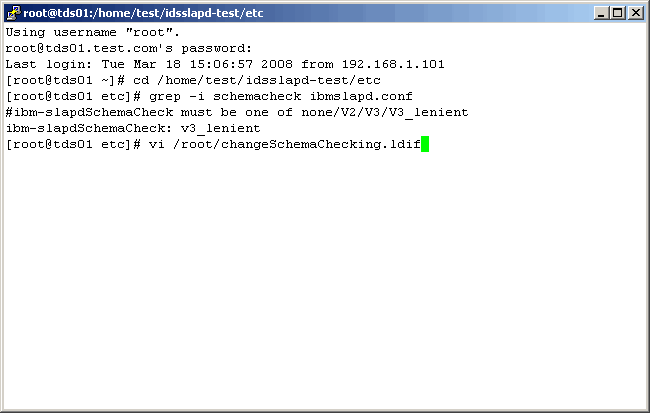
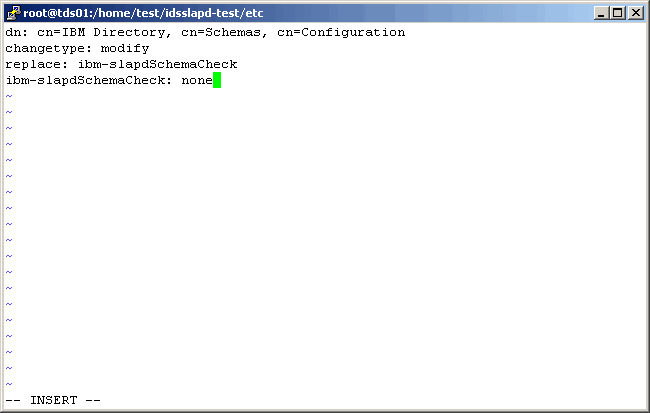
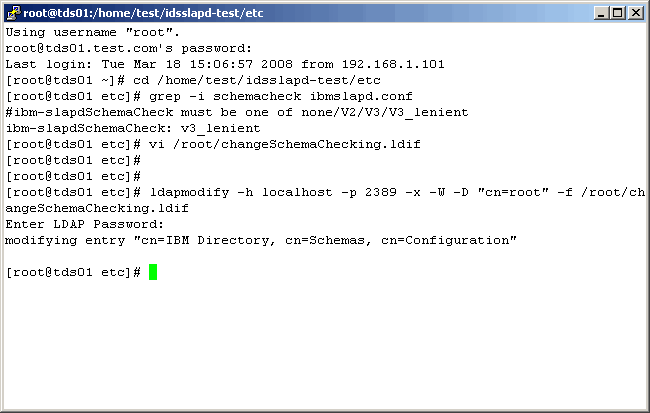
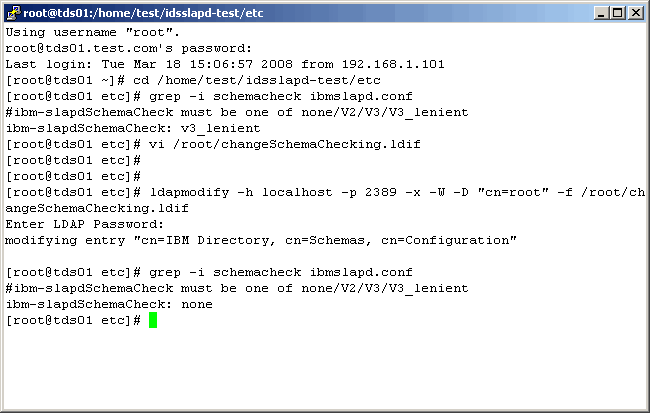
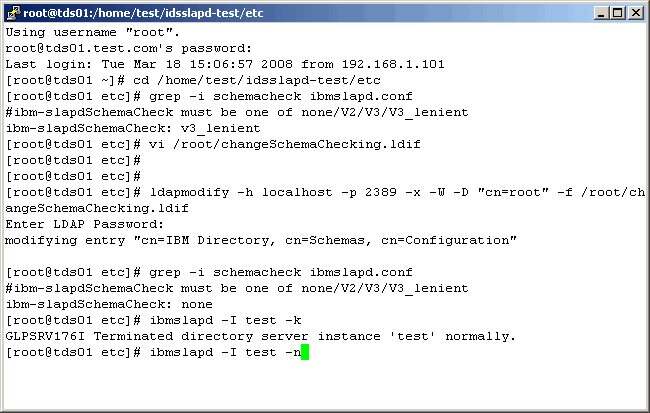
Schema Checking |
|
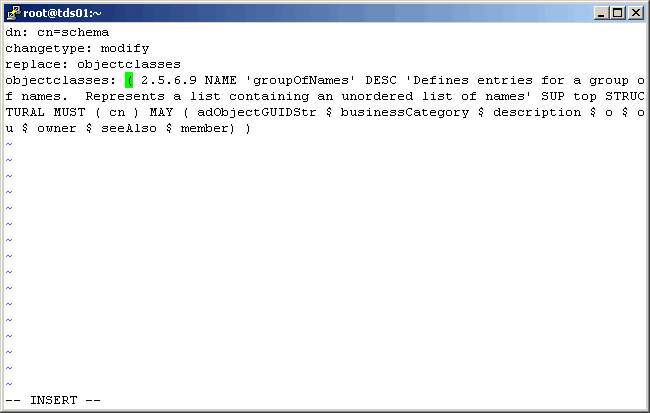
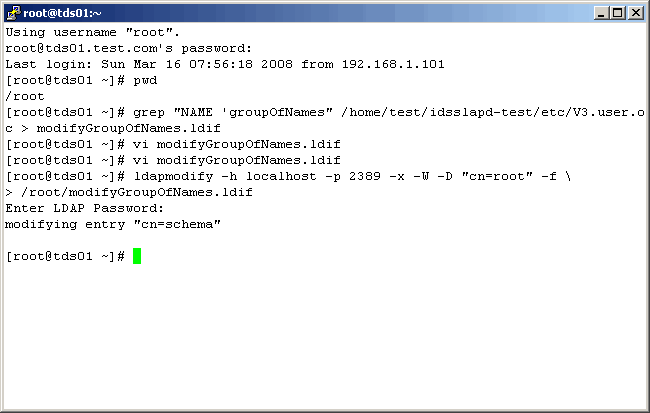
Our next step will be to migrate Active Directory groups to Tivoli Directory Server. There are a couple of "gotchas" in the mapping process however:
|
|
................
|
|
|
|
................
|
|
|
|
................
|
|
|
|
................
|
|
|
|
................
|
|
|
|
................
|
|
|
|
................
|
|
|
|
................
|
|
|
|
................
|
|
|
|
................
|
|
|
|
................
|
|
|
|
................
|
|
|
|
................
|
|
|
|
................
|
|
|
|
................
|
|
|
|
................
|
|
|
|
................
|
|
|
|
................
|
|
|
|
Conclusion
CONCLUSION
|
|
Printing This Article
If you have trouble printing this article, be sure to set your browser Page Properties correctly. Go
to File -> Page Setup and set your left and right margins to .125 inches.
|